
Table of Contents
How to Get a Client Contract Signed Online
To get a client contract signed online, finalize the exact terms, export the agreement as a PDF, upload it to an e-signature service, add the client as a recipient, place and assign the required fields, and send the signing link. The client reviews and signs in a browser; when everyone is finished, save the completed PDF and its audit trail with your project records.
That is the whole path. The details below help you avoid the mistakes that create most of the follow-up: sending an unfinished version, using the wrong email address, assigning a field to the wrong person, or failing to retain the completed record.
Before you send the contract
An e-signature service handles the signing process. It does not decide what your contract should say.
Before uploading anything, confirm that the document reflects the terms you and the client intend to sign, including the correct legal names, scope, deliverables, fees, payment timing, dates, revision limits, ownership terms, and termination language. Delete drafting notes and unresolved placeholders. If the agreement is regulated, high-value, unusual, or cross-border, have a qualified professional review it.
Use a clear filename such as acme-website-services-agreement-2026-08-10.pdf. A final PDF is easier to identify later than contract-final-v7-really-final.pdf.
Need a starting structure? Our free freelance contract template explains the commercial terms to customize before you ask anyone to sign.
How to get a client contract signed online in 7 steps
1. Choose the correct starting point
If your contract is already complete, export it from Word, Google Docs, or your document editor as a PDF. SignQuick accepts a finished PDF and preserves that file as the source for the signing workflow.
If you are still at the proposal or quote stage, SignQuick also includes a focused proposal form. It can turn the project title, parties, overview, line items, currency, discount, tax, validity date, and notes into a polished PDF before you add signing fields. Read the proposal and quote builder changelog for its exact scope.
The proposal form is not a jurisdiction-specific contract generator. Review the generated PDF and add any agreement terms your transaction requires before sending it for signature.
2. Upload the final PDF or generate the proposal
From New Document, choose Upload PDF or Build quote.
For an existing agreement, upload the final PDF. For a proposal, complete the form and review the live subtotal and total (your discount and tax percentages are already applied) before generating the file. SignQuick then moves that PDF into the same document workflow, so you do not have to download and upload it again.
Give the document a recognizable title. The title will help you find it when the same client returns for a renewal, change order, or new project.
3. Add the client as a recipient
Enter the name and email address of each person who must act on the contract. Check the spelling before continuing: the email address determines where the unique signing link goes.
When more than one person must sign, add every recipient and set the signing order if the agreement should move sequentially. Do not assume that sending the document to a company mailbox identifies the person authorized to sign for that company.
In SignQuick, you can also choose English or Spanish for each recipient. That choice controls the recipient-facing signing experience and related messages for that person.
4. Place and assign every required field
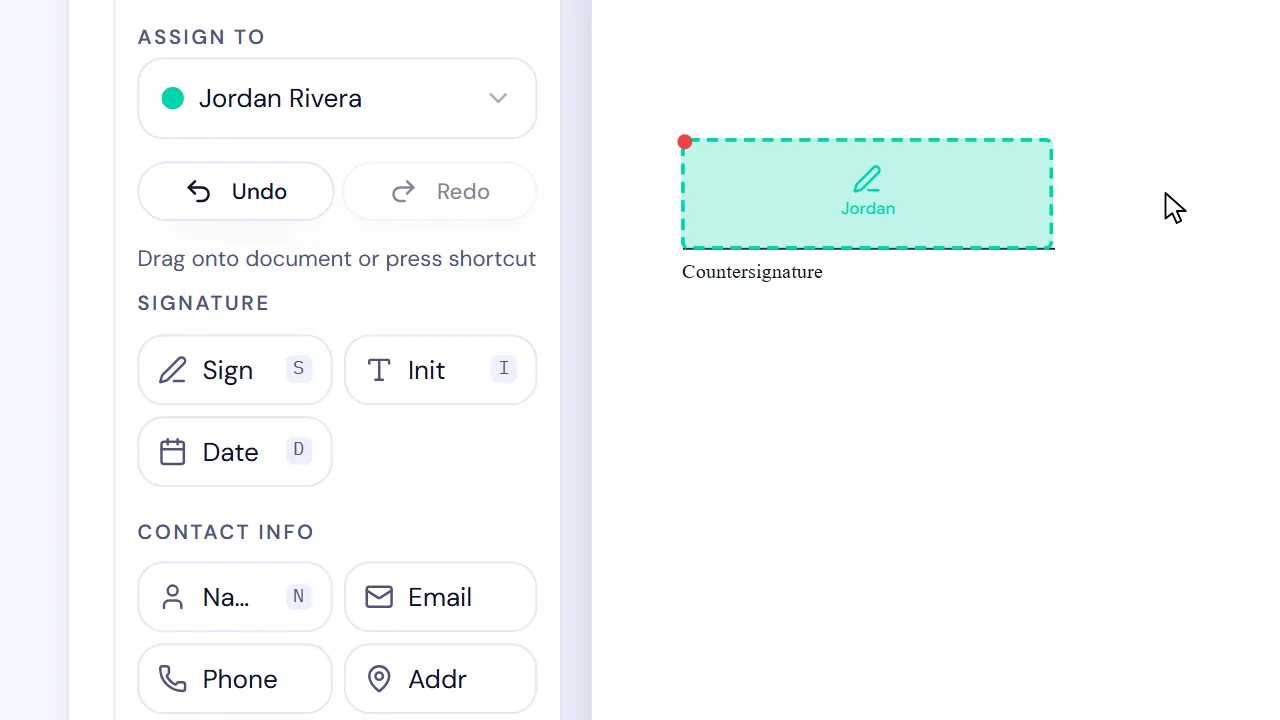
Drag the required fields onto the contract, then assign each one to the correct recipient. Common fields include:
- Signature
- Printed name
- Title or role
- Date
- Initials
- Checkbox, approval, or other required acknowledgment
Field assignment matters more than visual placement alone. A signature box can sit in the right spot and still belong to the wrong recipient. Before sending, use the recipient colors or assignment controls to check every required field person by person. When more than one person signs, the help center explains how to assign fields to each signer in SignQuick.
5. Review the request before sending
Do one final sender-side review:
| Check | What to verify |
|---|---|
| Document | This is the final agreed version, with no blanks or drafting notes you did not intend to leave open |
| People | Names and email addresses are correct, and each signer has authority appropriate to the transaction |
| Fields | Every required field is present and assigned to the correct person |
| Order | Sequential signers will receive the contract in the intended order |
| Language | Each recipient will see the signing flow in the appropriate language |
| Record | You know where the completed PDF and audit trail will be retained |
Then click Send for Signature. The client receives an email with a unique link to review and sign the contract.
For a concise note outside the platform, use language like this:
That message tells the client what to do without pressuring them to accept terms they have not reviewed.
6. Let the client review and sign in the browser
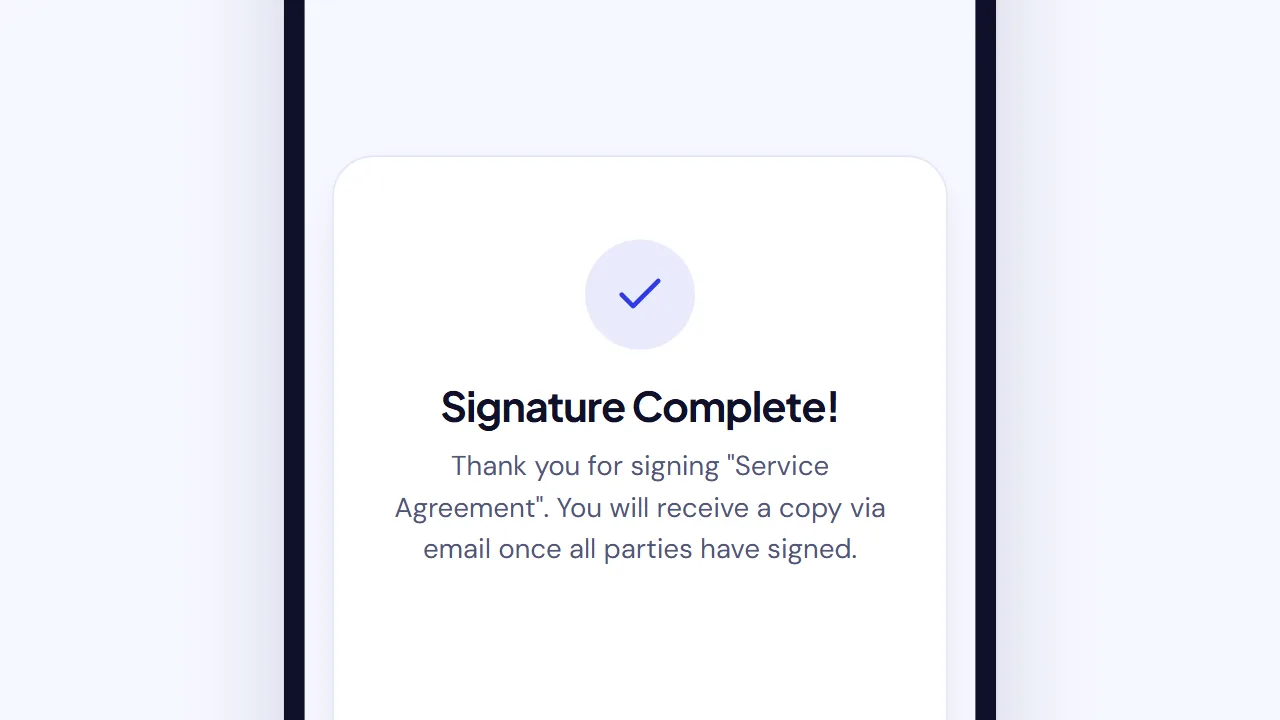
With SignQuick, the client does not need to create an account. They open the signing link, review the contract, complete the fields assigned to them, tick the consent box, and submit with Complete Signing from a phone, tablet, or computer.
We exercise this route as an end-to-end product path, not just a PDF upload. In our own acceptance testing, we generated a multi-line proposal, passed it into the document wizard, assigned two recipients, completed sequential signing, and retrieved both the signed file and its audit record. The most important sender-side check was simple: verify field ownership before pressing Send for Signature.
If a client raises a question or spots an error, stop and correct the document. A fast signature on the wrong version is not a useful outcome.
7. Download and retain the completed record
After all required recipients finish, download the completed PDF and the related audit trail from the document record. Keep them with the project files according to the retention rules that apply to your business and transaction.
The audit trail supports the story of the signing process by recording relevant events associated with the document. It is useful context; it is not a platform guarantee that every agreement will be enforceable under every set of facts.
For more detail on intent, consent, attribution, and record retention, read what makes an e-signature legally binding.
What if the client has not signed?
First, check the practical causes:
- Confirm the email address is correct.
- Ask the client to check spam or junk folders.
- Confirm they are the current signer if a signing order is active.
- Send a reminder from the document record when appropriate.
- Ask whether they have a question about the terms rather than sending repeated reminders.
For wording you can adapt, use our six contract signature reminder emails, with messages for delivery problems, questions, revised terms, and scheduling.
If the client wants a change, revise the source agreement and send a clearly identified replacement. Do not edit a completed contract; preserve the signed version and create a new agreement, amendment, or change order as appropriate.
Can you just email a PDF attachment?
You can email a PDF, but attaching it and asking the client to print, sign, scan, and return it creates manual steps. Pasting a signature image into a file can also leave you with less organized evidence about the process.
An e-signature request gives the client a guided path and connects the completed document to its signing events. This common upload-recipient-fields-send pattern also appears in the current official workflows published by Adobe Acrobat and DocuSign.
If you are still choosing a service, compare the best e-signature software for freelancers. If your PDF is already final, follow our shorter document-sending walkthrough.
Are online signatures valid for client contracts?
For U.S. transactions, 15 U.S.C. § 7001 generally provides that a signature, contract, or record may not be denied legal effect solely because it is electronic. The statute also says a person is not automatically required to accept electronic records or signatures and contains additional rules for certain consumer disclosures and record retention.
The Act defines an electronic signature in 15 U.S.C. § 7006 as an electronic sound, symbol, or process associated with a record and adopted with intent to sign. It also lists specific exceptions in 15 U.S.C. § 7003.
Those provisions do not answer every contract question. Authority to sign, agreement terms, evidence, consent, retention, document type, governing law, and local formalities can all matter. Rules outside the United States differ. Get qualified advice for regulated, high-value, disputed, or cross-border transactions.
Get the contract out of your drafts folder
The reliable process is uncomplicated: finish the terms, send one identifiable PDF through a guided signing flow, check that the right person owns each field, and retain the completed record.
Create a free SignQuick account, send yourself a harmless sample first, and experience both sides of the workflow before using it with a client.Research sources
- 15 U.S.C. § 7001 — General rule of validity
- 15 U.S.C. § 7003 — Specific exceptions
- 15 U.S.C. § 7006 — Definitions
- Adobe Acrobat: Send a contract for e-signature
- DocuSign: How to send a contract for electronic signing
Sources and live search results checked August 10, 2026. This article provides general educational information, not legal advice.
Frequently asked questions
How do I get a client to sign a contract online?
Finalize the exact contract, export it as a PDF, upload it to an e-signature service, add the client as a recipient, assign the required signature and date fields, and send the signing link. After everyone finishes, download the completed PDF and its signing record.
Does my client need an account to sign online?
Not with SignQuick. The client opens the unique link from the signature-request email, reviews the contract, completes the assigned fields, and signs in a browser without creating an account.
Can I email a PDF contract for a client to sign?
You can email a contract, but an e-signature request gives the client a guided signing link and keeps the completed document with the related event record. Asking the client to print, scan, or paste a signature into an attachment usually creates more manual work and a less organized record.
Are online signatures valid for client contracts?
In the United States, the ESIGN Act generally prevents a signature or contract from being denied legal effect solely because it is electronic. That rule does not make every contract enforceable or remove document-specific formalities, exceptions, consent requirements, or state and international rules. Get qualified local advice when the transaction warrants it.
What happens if the client requests a change before signing?
Pause the request, revise the source contract, export a new final PDF, and send the corrected version. Do not ask the client to sign a version that no longer matches the agreed terms.
What should I keep after the contract is signed?
Keep the completed contract, its audit trail or signing record, and any relevant approval or negotiation correspondence according to your business, legal, tax, and retention obligations.
