
Table of Contents
New in SignQuick: Build a Proposal and Send It for Signature
SignQuick now gives you two ways to start a document: upload a finished PDF or build a priced proposal inside the signing flow. The new proposal form creates a polished PDF from your project and pricing details, then hands that file directly to the existing recipient, field-placement, and e-signature steps.
The feature shipped on August 5, 2026, in PR #215. This update explains exactly what it adds, how the handoff to signature works, and where the focused form stops.
This closes an awkward gap for freelancers, consultants, contractors, and small agencies. When the commercial terms were clear but the PDF did not exist yet, you previously had to build the proposal somewhere else, export it, and return to SignQuick. Now the basic proposal-to-signature path stays in one place.
What the new proposal form includes
Open New Document and choose Build quote. The form captures:
- Proposal title
- Your business or sender name
- Client name
- Project overview
- Up to 25 priced line items
- Quantity and unit price for each item
- One of 15 currencies, including USD, EUR, GBP, CAD, MXN, BRL, ARS, CLP, COP, PEN, and BOB
- Percentage discount
- Percentage tax
- Valid-until date
- Notes and payment or delivery context
A sticky summary shows the live subtotal and total while you work, with your discount and tax percentages already applied. Tax is calculated after the discount: (subtotal - discount) × tax rate. The generated PDF lists the subtotal, any discount and tax, and the total as separate rows, so the order is visible before the proposal reaches a client.
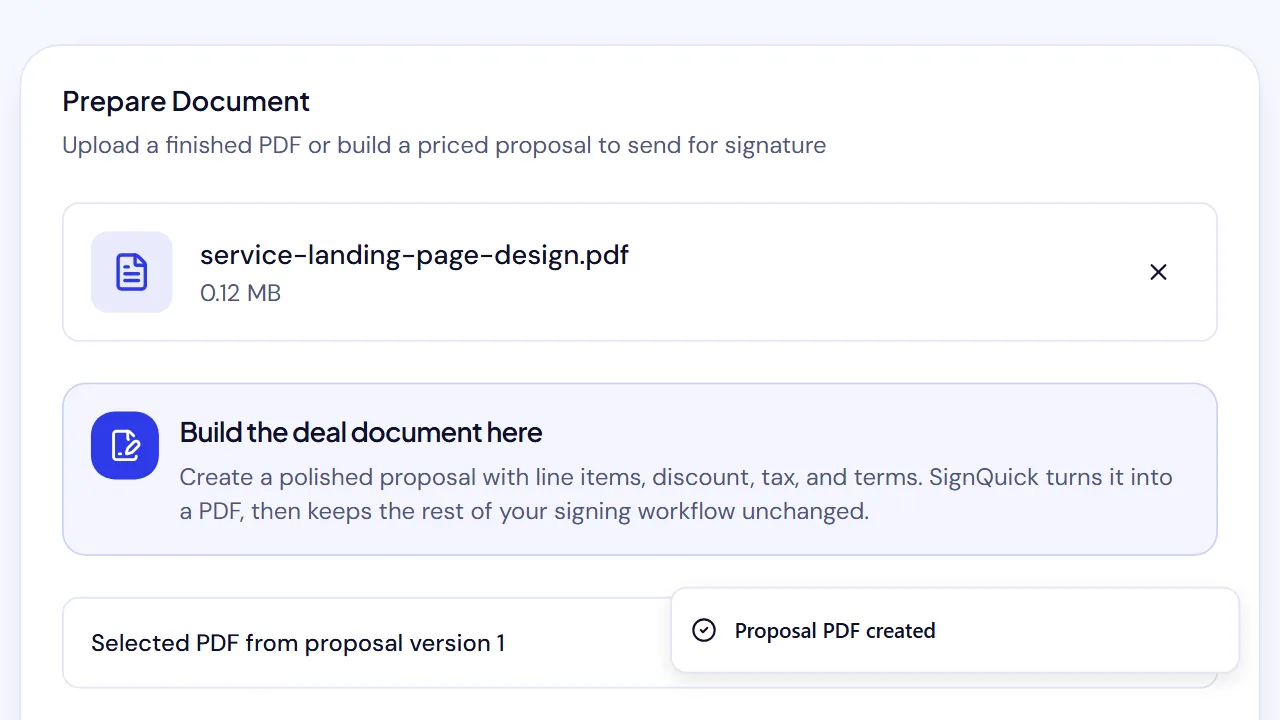
When you select Create PDF, SignQuick generates the file and loads it into the document wizard. From there, the workflow is familiar: add recipients, place and assign fields, choose signing order when needed, and send.
A proposal PDF designed for real client details
The generated PDF includes the proposal title, prepared-by and prepared-for details, creation date, optional validity date, overview, itemized pricing table, totals, and notes. It adds page numbers and repeats the table header when a longer proposal spans multiple pages.
English and es-419 Spanish are supported end to end. The PDF generator embeds a Unicode-capable font so accented names and Spanish labels render correctly rather than falling back to broken characters. Currency and date formatting follow the selected language.
This is deliberately a focused document, not a drag-and-drop page designer. The goal is to get a clear scope and price in front of a client, then move into signature collection without another export-and-upload loop.
How it works from start to signature
- Go to New Document.
- Select Build quote.
- Add the project, parties, overview, line items, and terms.
- Review the live total, which already applies your discount and tax.
- Generate the PDF.
- Add the client and any other recipients.
- Place signature, date, name, title, or other required fields.
- Send the signing link.
- After everyone finishes, download the completed PDF and audit trail from the document record.
The client still signs in a browser without creating a SignQuick account. The proposal form changes how the document starts; it does not create a separate signing system. The help center's first-document guide covers the recipient, field, and send steps that follow.
Built into the new first-send experience
New accounts now begin with a practical choice: Build a proposal or Upload a PDF. Choosing either path opens the correct version of New Document and keeps the setup focused on reaching a real send.
SignQuick records only coarse activation milestones—such as choosing a path, preparing the document, adding recipients, placing fields, and completing the send—not the proposal's client names, descriptions, or prices in onboarding analytics. Completion is recorded only after the email service accepts at least one signature request.
The dashboard checklist uses the same milestones, so it can distinguish “I prepared a document” from “I actually sent it” and bring you back to the next useful step.
What we verified before release
We tested more than a short one-line quote.
One English acceptance case used a $5,500 subtotal, a 10% discount, and 13% tax applied after the discount, producing a $5,593.50 total. We generated the PDF, added two recipients, completed sequential signing, and retrieved the signed document and audit trail.
We also generated a 25-item Spanish proposal priced in Bolivianos. It produced a clean three-page PDF with accented names, localized labels, repeated table headers, totals, notes, and page numbering.
Validation covers missing required details, zero quantities, negative prices, percentages outside 0–100, more than 25 items, malformed requests, and oversized payloads. Proposal generation requires an authenticated account, is rate-limited, and returns a non-cacheable PDF.
Where the form is intentionally smaller
The current proposal builder does not try to reproduce a full sales-document suite. It does not include:
- Rich media blocks or page-layout design tools
- Multi-step approval chains (SignQuick offers single-approver internal approval by another owner or admin before delivery)
- Payment collection during signing
- Automatic jurisdiction-specific contract clauses
Since this post was first published, two things that used to belong on this list have been added: a saved service catalog (Add from service catalog copies saved lines into a proposal) and an Optional — the client decides switch on each line, which puts that line on an optional-items page of the PDF as a checkbox the client can tick when signing.
PandaDoc remains the broader fit when those capabilities are central to the sales process. SignQuick's form is for a more direct job: create a clear priced proposal, turn it into a PDF, and send it through the same signing workflow you use for contracts and agreements. We updated our PandaDoc vs SignNow comparison to reflect that distinction.
Try the complete path
If you already have a contract, keep using the upload path. If you have scope and pricing but no document yet, start with the proposal form.
Read how to get a client contract signed online for the complete sender checklist, or create a free SignQuick account and choose Build quote from New Document.
— SignQuick Team

