Account and security
Manage signer privacy and privacy requests
Stop signing pages from asking for a device location, and look up, download or delete what your workspace holds about a person.
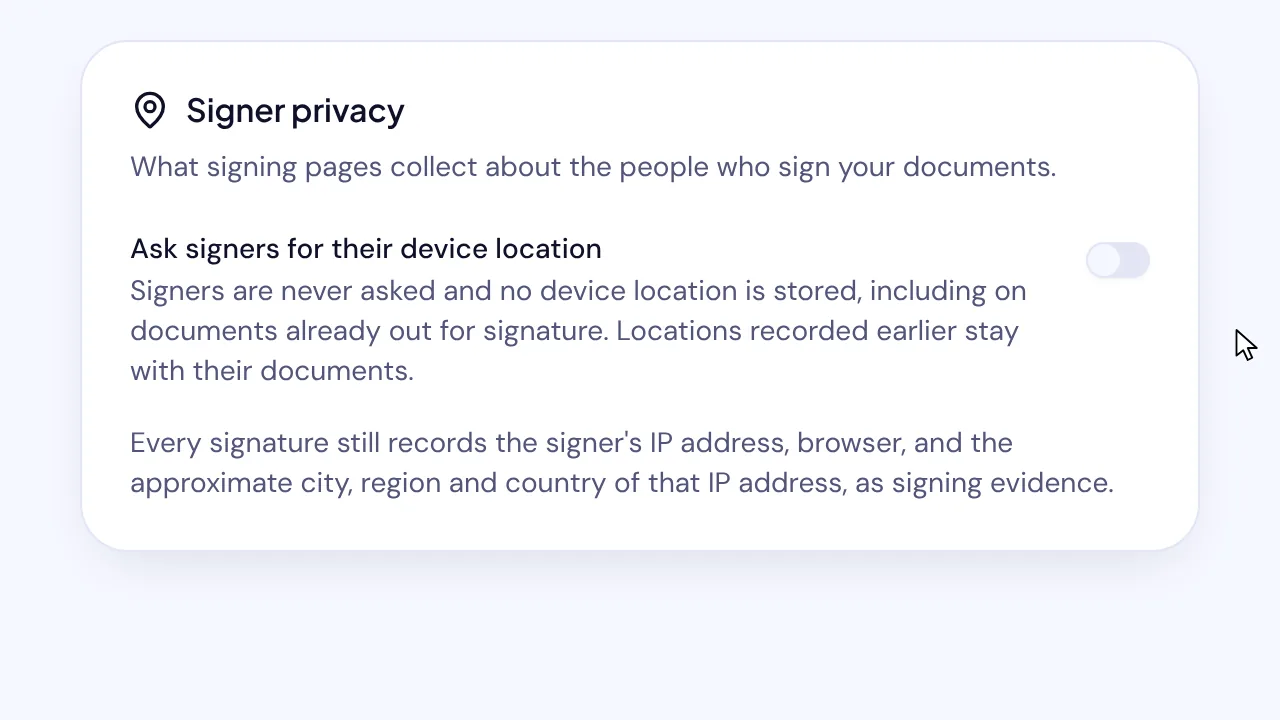
In SignQuick, workspace Owners and Admins choose whether signing pages ask for a device location and answer requests to see or delete personal data.
Who can use this feature?
- Plans
- Every plan.
- Who can do it
- Owners and Admins. Other members see the location setting but can't change it, and don't see Privacy requests.
Stop asking signers for their device location
Unless you turn it off, the signing page asks the signer's browser where the device is. If the signer allows it, the audit trail shows the coordinates. Signers can refuse and still sign.
- Step 1: In the sidebar, select Settings, the gear icon next to your name.
- Step 2: Select Organization.
- Step 3: Under Signer privacy, turn off Ask signers for their device location.
Result: SignQuick shows Signer privacy settings saved. Signers are never asked from now on, including on documents already out for signature, and locations recorded earlier stay with their documents.
Answer a privacy request
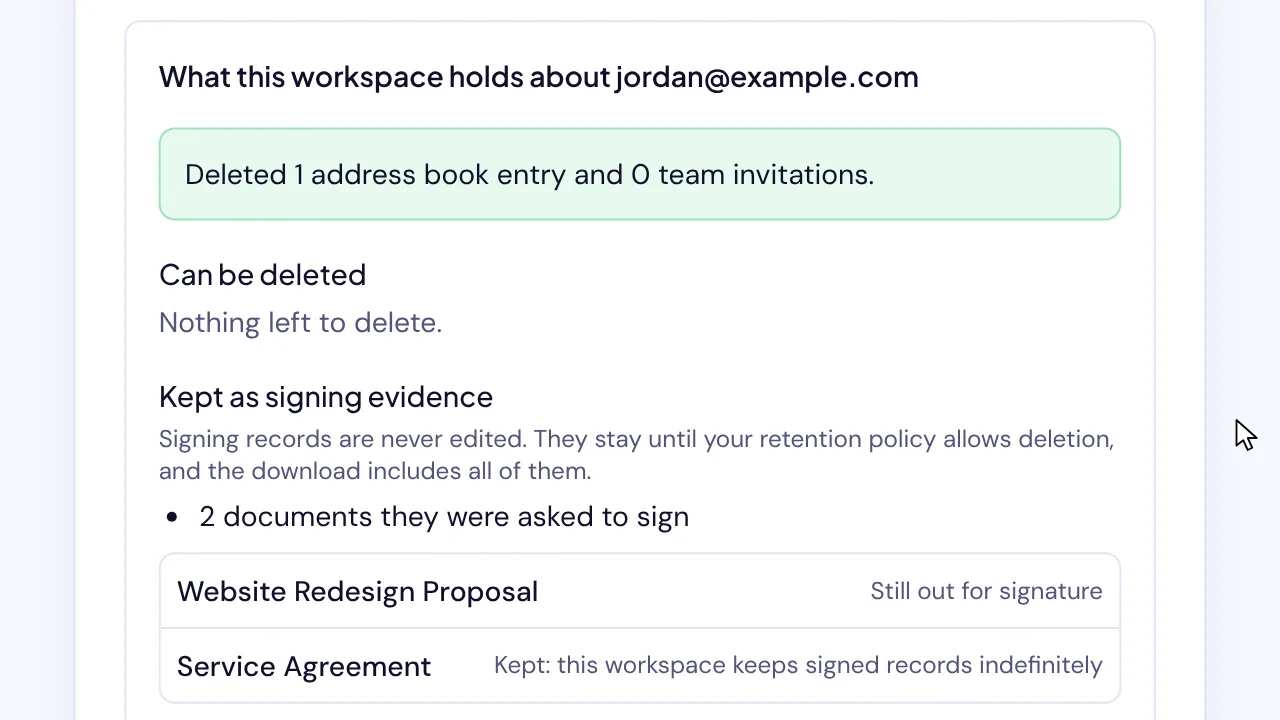
When someone asks what your workspace holds about them, or asks you to delete it, look them up by email. Signed documents and audit trails are signing evidence: they are never edited and stay until your retention policy allows deletion.
- Step 1: In Settings, select Organization.
- Step 2: Under Privacy requests, enter the person's email in Their email address and select Look up.
- Step 3: To give them a copy of everything, select Download everything.
- Step 4: To delete what isn't signing evidence, select Delete what can be deleted, then select Delete to confirm.
Result: SignQuick deletes their address book entries and the team invitations they never accepted, and lists the deletion under Recent requests.
Common questions
Does turning off the location request change documents already signed?
No. Locations recorded earlier stay with their documents. From the moment you turn it off, signing pages stop asking, also on documents already out for signature.
Is a privacy request recorded?
Yes. Every lookup, download and deletion is recorded with who did it and when. The record keeps a fingerprint of the email, never the email itself.
Why weren't the signed documents deleted?
Signing records are never edited. They stay until your retention policy allows deletion, and the download includes all of them.