Account and security
Write your own recipient emails
Change the subject and message of the signature request, reminder and completed-document emails your recipients get.
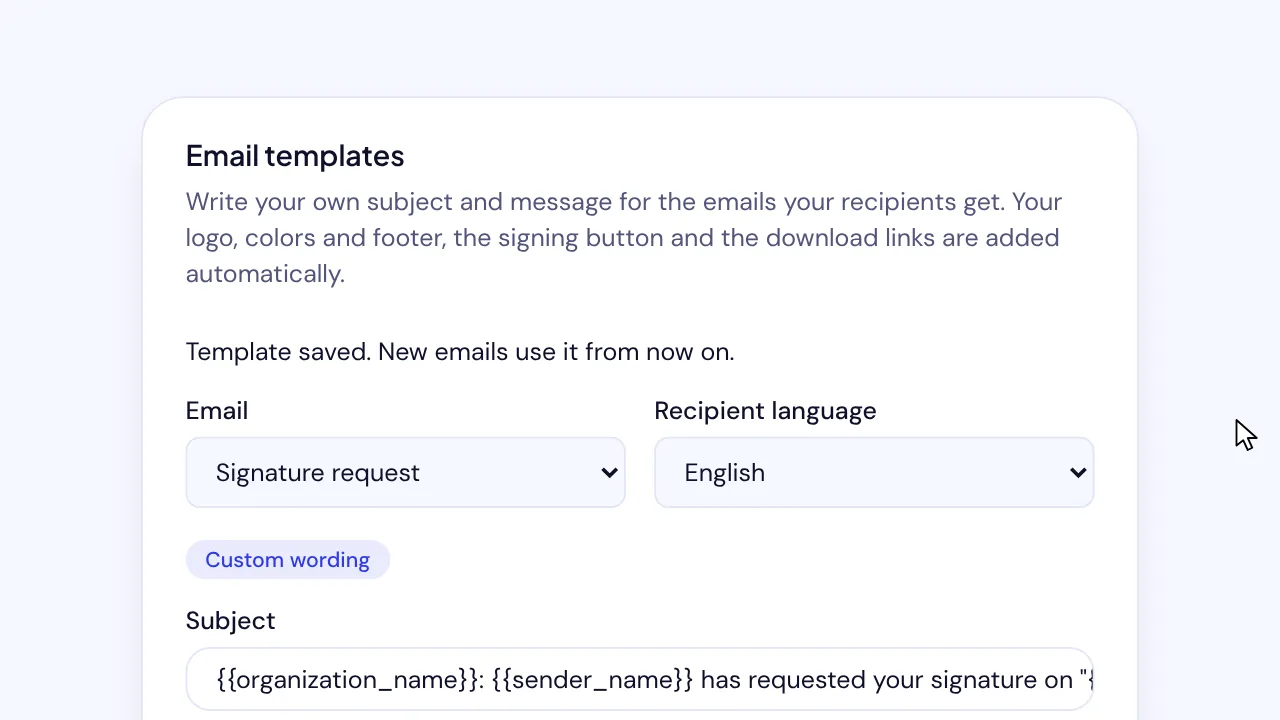
On SignQuick's Team plan, an Owner or Admin rewords recipient emails under Email templates in Settings, then Branding, with variables and a preview.
Who can use this feature?
- Plans
- Team. On other plans, the card says Custom email templates are included in the Team plan and shows View plans.
- Who can do it
- Only Owners and Admins save or reset templates. Other members see them without editing.
Change an email's subject and message
You write the subject and the message. SignQuick adds your logo, colors and footer, the signing button and the download links to every email by itself.
Variables such as {{recipient_name}}, {{organization_name}} and {{document_title}} are replaced with each recipient's details when the email goes out.
- Step 1: In the sidebar, select Settings, the gear icon next to your name.
- Step 2: Select Branding.
- Step 3: Under Email templates, pick the Email to change and the Recipient language.
- Step 4: Edit the Subject and the Message (HTML), and add any variable listed under Variables.
- Step 5: Check the Preview, which uses sample details.
- Step 6: Select Save template.
Result: SignQuick shows Template saved. New emails use it from now on. and the email reads Custom wording.
Go back to the default wording
Load default wording puts SignQuick's wording back in the editor so you can start over. Nothing changes until you save.
- Step 1: Under Email templates, pick the Email and the Recipient language.
- Step 2: Select Reset to default, then confirm.
Result: SignQuick shows This email uses the default wording again. and the email reads Default wording.
Common questions
Which emails can I change?
Signature request, Signature reminder, Document completed (signers) and Document completed (CC copy), each in English and in Spanish.
What can I put in the message?
Paragraphs, line breaks, headings, bold, italic and underlined text, lists, quotes, dividers and links. Links must start with https:// or mailto:. If the message has something SignQuick can't send, the card says what to fix before you save.
Do emails already sent change?
No. A saved template is used for emails sent after you save it.
What happens when the sender writes no message?
{{message}} is left empty, and the element around it is removed, so the email has no empty quote.