
Table of Contents
E-Signatures for Small Business: The Complete Guide
If you run a small business, you sign a lot of documents. Client contracts, vendor agreements, NDAs, employee paperwork, lease agreements — the list grows with your business. And if you're still printing, signing, scanning, and emailing those documents, you're spending time and money on a process that should take seconds.
E-signatures solve this. They're legally binding, faster than paper, more secure, and increasingly expected by clients and partners. This guide covers everything a small business owner needs to know about adopting electronic signatures.
Why Small Businesses Are Switching to E-Signatures
Speed
Paper-based signing workflows are slow by nature. You draft a contract, print it, sign it, scan it, email it, wait for the other party to do the same, and hope nothing gets lost in the process. A single contract can take days to finalize.
With e-signatures, you send a document and the recipient can sign it from their phone, tablet, or laptop in minutes. No printing. No scanning. No postal mail. The average document on most e-signature platforms is completed in under five minutes.
Cost Savings
The direct costs of paper-based signing add up:
- Printing: Ink, toner, and paper for every document
- Shipping: Overnight courier fees for time-sensitive contracts
- Storage: Physical filing cabinets and offsite document storage
- Administrative time: Hours spent printing, scanning, filing, and chasing signatures
Industry studies estimate that the average cost to process a single paper document is between $10 and $30 when you account for materials, labor, and storage. For a business that processes 50 documents a month, that's $500 to $1,500 in monthly overhead — much of it invisible.
An e-signature tool eliminates virtually all of these costs. Even paid plans typically cost a fraction of the paper-based alternative.
Professionalism
First impressions matter. Sending a client a clean, branded signing experience — where they click a link, review the document, and sign in their browser — signals that you run a modern, efficient operation.
Compare that to asking a client to print a PDF, sign it with a pen, take a photo of it, and email it back. Which experience would you prefer?
Reduced Errors
Paper documents get lost, signatures get missed, pages go unsigned. Every manual step is a potential point of failure. E-signature platforms enforce completion — signers can't submit a document until every required field is filled. This eliminates the back-and-forth that comes from incomplete signatures.
Legal Validity: Are E-Signatures Enforceable?
Yes. In the United States, e-signatures are legally binding under two key laws:
- The ESIGN Act (Electronic Signatures in Global and National Commerce Act, 2000) — A federal law stating that electronic signatures cannot be denied legal effect solely because they're electronic.
- UETA (Uniform Electronic Transactions Act) — Adopted by 49 states, this law provides additional guidelines for electronic transactions at the state level.
These laws mean that an electronically signed contract carries the same legal weight as one signed with pen and ink, provided certain conditions are met:
- The signer intended to sign
- Both parties consented to electronic transactions
- The signature can be attributed to the signer
- The signed record is retained and accessible
Most modern e-signature platforms handle all of these requirements automatically through audit trails, email verification, and secure document storage.
Internationally, similar laws exist in the EU (eIDAS Regulation), UK (Electronic Communications Act), Canada (PIPEDA), and Australia (Electronic Transactions Act). If you do business across borders, e-signatures are broadly recognized.
Security: Is It Safe?
For many small business owners, security is the top concern. Here's what to look for in an e-signature platform:
Encryption
Your documents should be encrypted both in transit (while being sent between servers) and at rest (while stored). Look for:
- TLS 1.2+ for data in transit
- AES-256 encryption for data at rest
These are the same encryption standards used by banks and healthcare systems.
Audit Trails
A proper audit trail logs every action taken on a document:
- When it was created and by whom
- When it was sent and to which email addresses
- When each recipient opened the document
- When and how each signature was applied (IP address, timestamp, authentication method)
- When the document was completed
This creates context that can help reconstruct the signing process, but it does not by itself guarantee authenticity, admissibility, or enforceability. Learn what an e-signature audit trail records and which fields deserve closer review.
Authentication
The best platforms offer multiple authentication options:
- Email-based access: Documents are accessed via secure links sent to verified email addresses
- Access codes: An additional PIN or code required before viewing the document
- Two-factor authentication (2FA): An authenticator app or SMS code for high-security documents
Data Residency
Where are your documents stored? For businesses handling sensitive data, knowing that documents are stored in secure, compliant data centers matters. Look for platforms that are transparent about their infrastructure.
How to Choose the Right E-Signature Tool
Not all e-signature platforms are built the same. Here's what to evaluate:
Pricing Structure
This is where small businesses often get burned. Many e-signature platforms charge per "envelope" (a document sent for signing). This seems fine until you realize you're paying $1 to $5 per document on top of a monthly subscription.
For small businesses, look for:
- A free tier that lets you test the platform without a credit card
- Flat-rate pricing rather than per-envelope charges
- Generous document limits that match your actual usage
A freelancer sending 10 contracts a month has very different needs from an HR department onboarding 50 employees a quarter. Make sure the pricing matches your volume.
Ease of Use
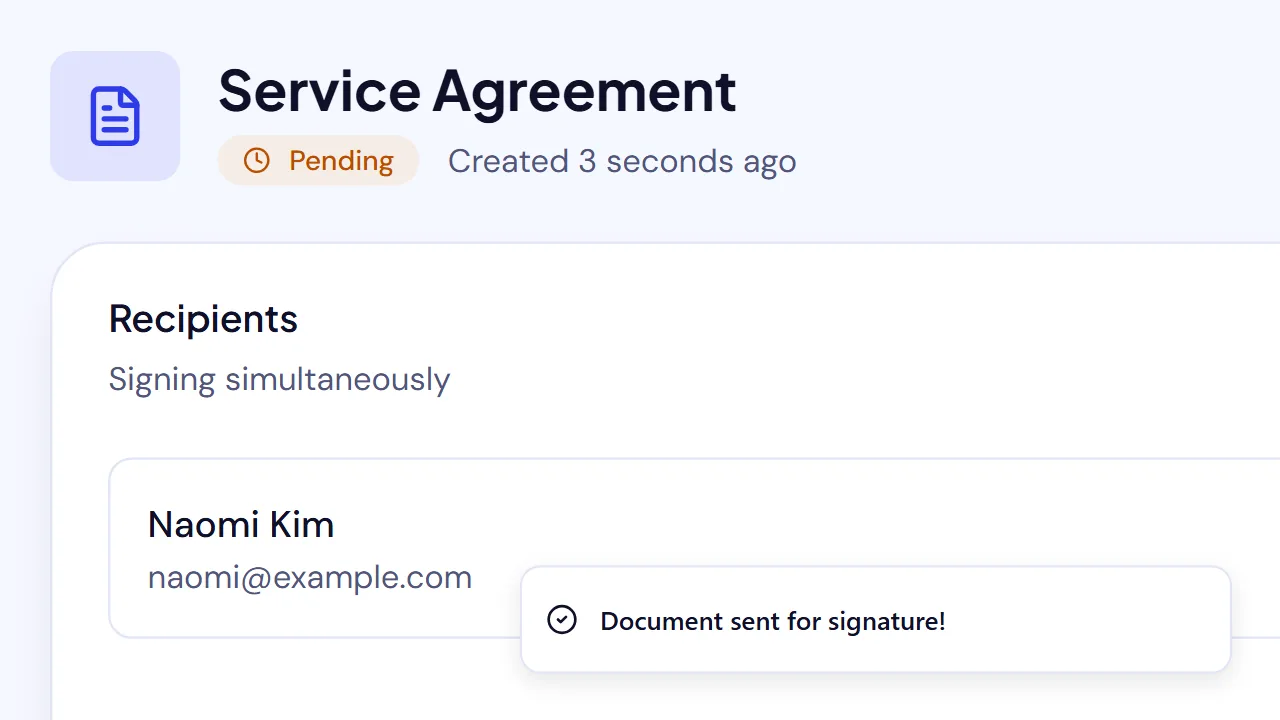
If a tool requires training or a sales call to get started, it's probably over-engineered for a small business. You should be able to:
- Upload a document
- Add recipients
- Place signature fields
- Send
...in under two minutes, on your first try.
Templates
If you send the same type of document repeatedly (contracts, NDAs, proposals), templates save enormous time. Upload the document once, set the field layout, and reuse it for every future send.
Contact Management
Over time, you accumulate a list of clients, vendors, and partners who sign your documents. A platform that automatically saves recipient information — building a contact database as you go — eliminates repeated data entry and gives you a searchable record of every person you've done business with.
Mobile Signing
Your recipients sign on their phones. If the signing experience isn't optimized for mobile, you're creating friction that delays completion. Make sure the platform works smoothly on any device.
Integrations
Consider what other tools you use. Some e-signature platforms integrate with cloud storage (Google Drive, Dropbox), CRMs (HubSpot, Salesforce), and other business tools. These integrations can save time, but they're not essential — a good standalone platform is often more than enough for a small business.
Common Use Cases for Small Businesses
Client Contracts and Proposals
The most common use case. Send a service agreement, consulting contract, or project proposal for signature. The client signs from their browser, and both parties get a completed copy instantly.
Non-Disclosure Agreements (NDAs)
Before sharing sensitive information with a potential partner, vendor, or employee, protect yourself with an NDA. E-signatures make NDAs easy to send and quick to execute — removing the friction that might otherwise cause you to skip this important step.
Employee Onboarding
New hire paperwork is a perfect candidate for e-signatures. Offer letters, tax forms, employee handbooks, company policies — send them all as a batch and track completion in real time. No more printing stacks of paper on someone's first day.
Lease and Rental Agreements
If you rent office space, equipment, or property, e-signatures simplify lease agreements. Both parties sign remotely, and the executed lease is stored securely for the duration of the term.
Vendor and Supplier Agreements
Standardize your vendor agreements with templates. When you bring on a new supplier, send the agreement from your template, and they sign the same day.
Purchase Orders
Speed up procurement by sending purchase orders for electronic approval. The PO is signed, dated, and stored — no paper trail to manage.
Getting Started: A Practical Roadmap
Week 1: Choose a Platform and Send Your First Document
Pick a platform with a free tier so you can test the workflow risk-free. Upload a real document you'd normally print and sign. Send it to yourself or a colleague to experience the signing process from both sides. If you choose SignQuick, the help center walks through sending your first document.
Week 2: Create Your First Template
Identify the document you send most frequently — likely a client contract or NDA. Upload it, place the fields, and save it as a template. The next time you need this document, you'll skip the field placement entirely.
Week 3: Migrate Your Workflow
Start sending all new documents for e-signature. Keep paper as a backup option if a specific client requires it, but default to electronic. Most people prefer it.
Week 4: Review and Optimize
Check your dashboard. How many documents have you sent? How quickly are they being signed? Are any recipients consistently slow? Set up automatic reminders for unsigned documents.
The Bottom Line
E-signatures aren't a luxury for small businesses — they're a basic operational upgrade. They save time, reduce costs, improve the client experience, and create legally defensible records of every transaction.
The barrier to entry is essentially zero. Free tiers exist specifically so small businesses can start without financial risk. The question isn't whether to adopt e-signatures — it's why you haven't already.
Ready to get started? SignQuick was built for small businesses and independent professionals. The free tier includes 3 documents a month with a basic audit trail, 256-bit encryption, and no watermarks. No credit card required. Start free with SignQuick →

